Giant Dog AI Video Generator
Upload one photo of your dog. In about three minutes you get a 10-second vertical clip of it sitting between Manhattan skyscrapers while people run, taxis stop and news helicopters circle.
Get early access
Doggo Video Generation is opening to a small group first. Leave your email and we will write once when you can make your dog a giant. No newsletter, no spam.
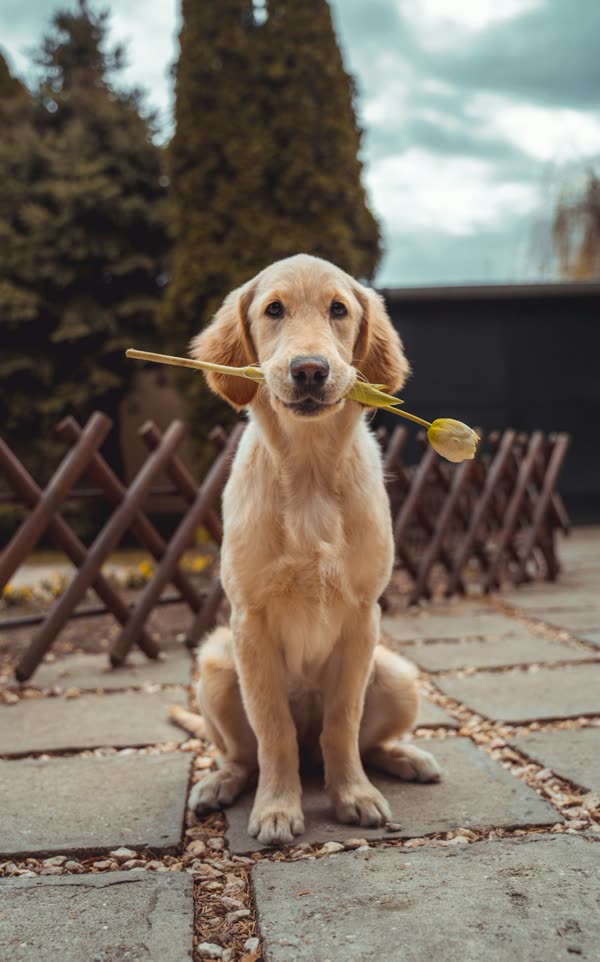
All sample clips were made with this site from a stock photo of a golden retriever.
The catch
Why a Giant Dog clip is hard to make by hand
Scale is the whole joke
A dog pasted over a skyline looks like a sticker. It has to sit behind buildings, cast shadows and match the light of the street.
It needs a crowd and a city
The clip works because of the extras: running office workers, stopped taxis and helicopters. Stock footage of all three rarely matches.
Generic AI tools lose your dog
Most text-to-video prompts give you a random golden retriever. Keeping your dog’s exact markings across three shots takes a reference image and a tuned prompt.
Side by side
Compositing it yourself vs. using Doggo Video Generation
| Compositing it yourself | With Doggo Video Generation |
|---|---|
| Cut your dog out frame by frame | Upload one photo as it is |
| Find city, crowd and helicopter footage | All three shots are generated for you |
| Fake the scale, shadows and camera shake | The model renders the dog inside the scene |
| Add sirens and rotor sound by hand | Sound effects come with the video |
How it works
How to make a Giant Dog AI video in 3 steps
- 1
Upload one photo of your dog
One dog, facing the camera, in daylight. JPG, PNG or WebP up to 10 MB.
- 2
Start the render
Every video is 10 seconds in 9:16 and costs 10 credits. Rendering takes about three minutes.
- 3
Download and post
Download the MP4 without a watermark and post it to Reels, TikTok or Shorts. Keep the AI label when you share it.
Made with Doggo Video Generation
One dog photo in, one finished clip out
This golden retriever photo was the only input. The model kept the fur colour, the ears and the soft face, then built three shots around it: the street, the helicopter window and the low angle with taxis.
Generated 10-second clip
About the trend
What is the Giant Dog AI video?
The Giant Dog video is a short found-footage clip in which a pet, usually a cat or a dog, is scaled up to the height of an office tower and dropped into a real-looking city. The joke is the contrast: people scream and run, traffic stops and news helicopters arrive, while the giant pet just sits there, tilts its head and sniffs the camera. Giant pet AI clips like this keep resurfacing on Reels and TikTok, and the giant cat AI video version is the best known.
Doggo Video Generation is an AI dog video generator built around that one scene. You upload a single photo, and the model makes your own dog the giant, with the same breed, coat and face. If you have ever wanted to make my dog a giant for one afternoon, this dog video generator does it in one step, and the doggo video you get is ready to post.
Read the full Giant Dog trend guideFeatures
What every Giant Dog AI video includes
One photo is enough
A single clear photo is all the model needs to keep your dog recognisable in every shot.
Three cinematic shots
Street-level panic, a helicopter window close-up and a low angle with taxis, cut together in 10 seconds.
Vertical and ready to post
Exports in 9:16 so it drops straight into Reels, Shorts or Instagram.
Sound included
City noise, sirens, helicopter rotors and one happy woof are generated with the picture.
Private by default
Uploads are stored privately, used only for your render and deleted automatically 7 days after upload.
Fair billing
Credits never expire. If a render fails, the credits go straight back to your balance.
Ideas
What people make with it
Your dog’s birthday post
A 10-second clip of your dog as the biggest thing in New York beats another cake photo.
Try it with my dogPet account content
Pet creators use giant dog AI video clips as a weekly hook. One photo gives you a new post without a shoot.
Try it with my dogA gift for another dog owner
Ask a friend for a photo of their dog and send them the result. It works for cats too, if the photo is clear.
Try it with my dogPricing
Pay once, use whenever
1 credit = 1 second of video, so one Giant Dog clip is 10 credits. No subscription, no expiry.
Starter
Two videos of your dog
$5.99
20 credits
≈ 2 videos of 10 s
- Credits never expire
- 10-second 9:16 videos with sound
- MP4 download, no watermark
- Automatic refund on failed renders
Pack
For a dog with many angles
$12.99
50 credits
≈ 5 videos of 10 s
- Credits never expire
- 10-second 9:16 videos with sound
- MP4 download, no watermark
- Automatic refund on failed renders
Kennel
For pet creators and multi-dog homes
$24.99
120 credits
≈ 12 videos of 10 s
- Credits never expire
- 10-second 9:16 videos with sound
- MP4 download, no watermark
- Automatic refund on failed renders
Want these prices on day one? Join the waitlist.
Prices in USD. Taxes are calculated at checkout by our payment partner.
What is Doggo Video Generation?
Doggo Video Generation is an AI dog video generator for one scene: your dog as a skyscraper-sized giant in New York. You upload one photo and get a 10-second vertical video with sound.
Where the giant pet AI trend came fromWhich dog photo works best?
A sharp, recent photo of one dog facing the camera in daylight, with the head and chest or the whole body in frame. Dark rooms, motion blur, several dogs in one shot and heavy filters lower the quality.
Photo tips for a better Giant Dog AI videoDoes it work with cats or other pets?
The prompt is written for dogs, but a clear photo of a cat, rabbit or other pet usually works too. The model keeps the animal from the photo and may adjust the body language a little.
Will the giant really look like my dog?
The model copies the breed, coat colour, markings and face from your photo. Unusual markings or a blurry photo can drift between shots. If the dog in a finished video is clearly not yours, contact support with the video ID.
How long does a render take?
Most videos finish in about three minutes, a little longer when the queue is busy. You can close the page; finished videos wait in My videos.
How do credits work?
Each second of video costs one credit, so one 10-second video costs 10 credits. Credits are bought in packs, never expire and are refunded automatically if a render fails.
Can I upload photos of people?
No. This site only makes videos of pets. Photos where a person is the main subject are not allowed, and accounts that upload them repeatedly are closed.
What happens to my photos?
Uploads are private, used only to make your video and deleted automatically 7 days after upload. Finished videos are kept for 30 days after they finish. Deleting your account removes everything right away.
Your dog is one photo away from being a Giant Dog
Upload a photo, wait about three minutes and watch New York panic over your dog.